Bring your marks together
Add a mark by its USPTO number, search public records, or keep a record you enter yourself.
For the marks you keep track of
Your trademarks. The dates ahead. The reasons behind them.
Keep U.S. trademark records, deadlines, notes and photographs together. See what the USPTO record says, when it was checked, and how a date was calculated.
Coming soon to the App Store · For iPhone, iPad and Mac
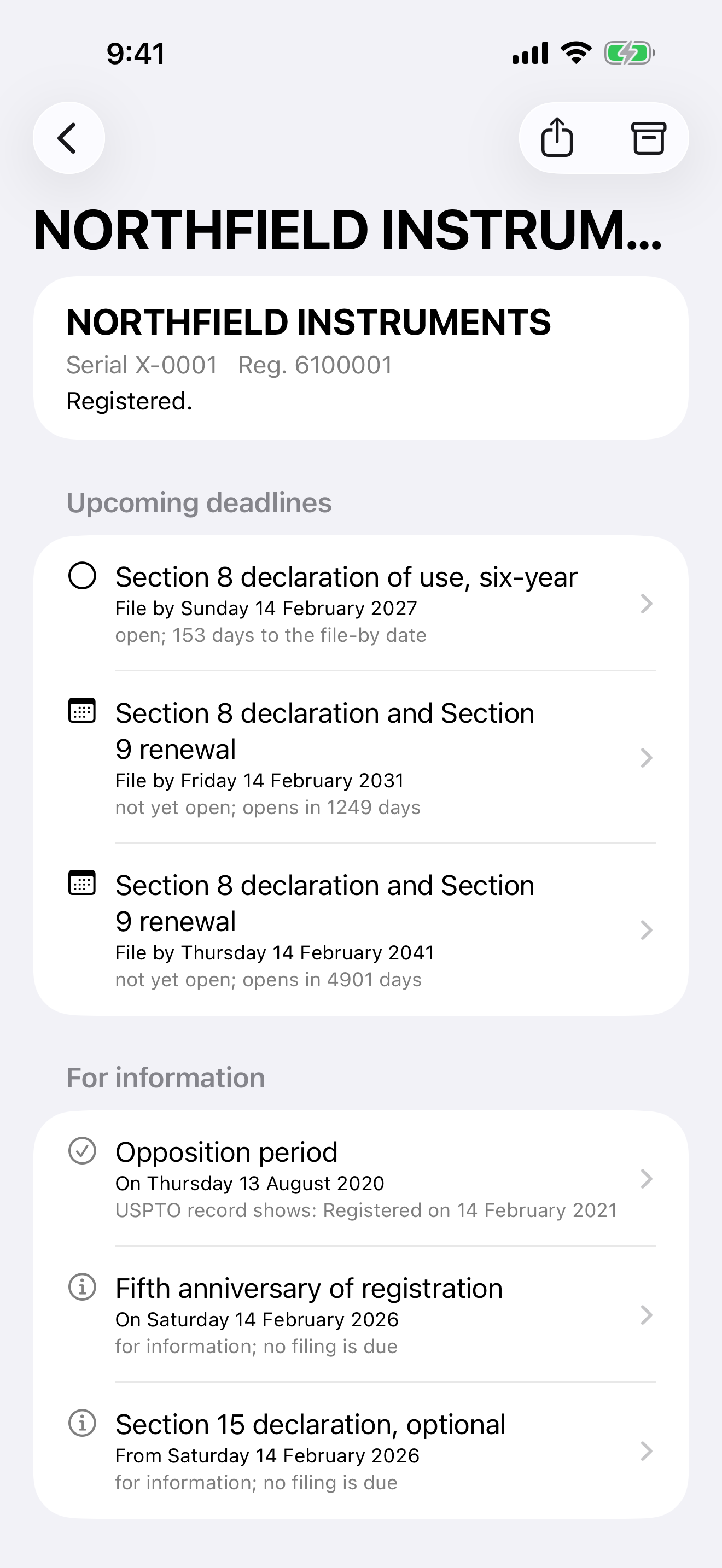
A portfolio with context
A date is more useful when you can see where it came from. Trademark Almanac brings the record, the calculation and your own notes into one place.
Add a mark by its USPTO number, search public records, or keep a record you enter yourself.
Open a calculated deadline to see the rule, the starting date and the steps used to reach it.
Add your dates, notes and photographs alongside the mark. Set reminders on your device.
Work on iPhone, iPad and Mac, with optional sync through your own iCloud account.
Your portfolio stays yours
There is no account with Upper Tail Software LLC, no analytics and no advertising. Your portfolio lives on your devices and, if enabled, in your own iCloud account.
Public-record lookups and searches use a relay to the USPTO. The relay does not hold your portfolio. The privacy policy explains what passes through it.
Read the privacy policyBefore you get started
Trademark Almanac keeps your U.S. trademarks, USPTO records, deadlines, notes and photographs together on iPhone, iPad and Mac. It shows the arithmetic behind the dates it calculates and the published rules they come from.
Trademark owners keeping track of their own marks, and practices organizing a larger portfolio. Owner covers up to ten marks; Practice has no mark limit and includes docket reports and export formats.
On your devices and, if you use iCloud, in your own iCloud account. Upper Tail Software LLC holds no copy of your portfolio and cannot recover it for you.
You can search public USPTO records by words or an owner’s name. The app does not file anything, clear marks, assess whether a mark can be registered, or watch for anyone else’s filings. It is not legal advice.
Yes. Opening your own portfolio starts 14 days of full access with no payment method. After that, Owner is $34.99 per year and Practice is $149.99 per year. Prices are in U.S. dollars; see the App Store for local pricing when available.
Requires iOS 26.5 or later, iPadOS 26.5 or later, or macOS 26.0 or later.
For owners and practices
Fourteen days of full access. No payment method needed.